
Building a Custom Stock Image Library for Your Brand Using AI Tools
Learn how to build a reusable, on-brand stock image library using AI tools for consistent visuals across ecommerce and social media.
On this page
- Why Generic Stock Photos Fall Short for Brands
- Which Image Types to Build First
- The Secret to Visual Consistency Across Your Library
- How to Organize Your Library for Repeated Use
- Editing AI Outputs to a Finished Standard
- Turning Your Library Into a Content Engine
- When Your Image Library Becomes Your Biggest Brand Asset
Your brand has a look. But finding images that actually reflect it has always been a problem. Generic photo libraries offer thousands of choices, and almost none of them feel like yours. The lighting is wrong. The style clashes with your color palette. And the moment you find something usable, your competitors are likely pulling the same image from the same catalog.
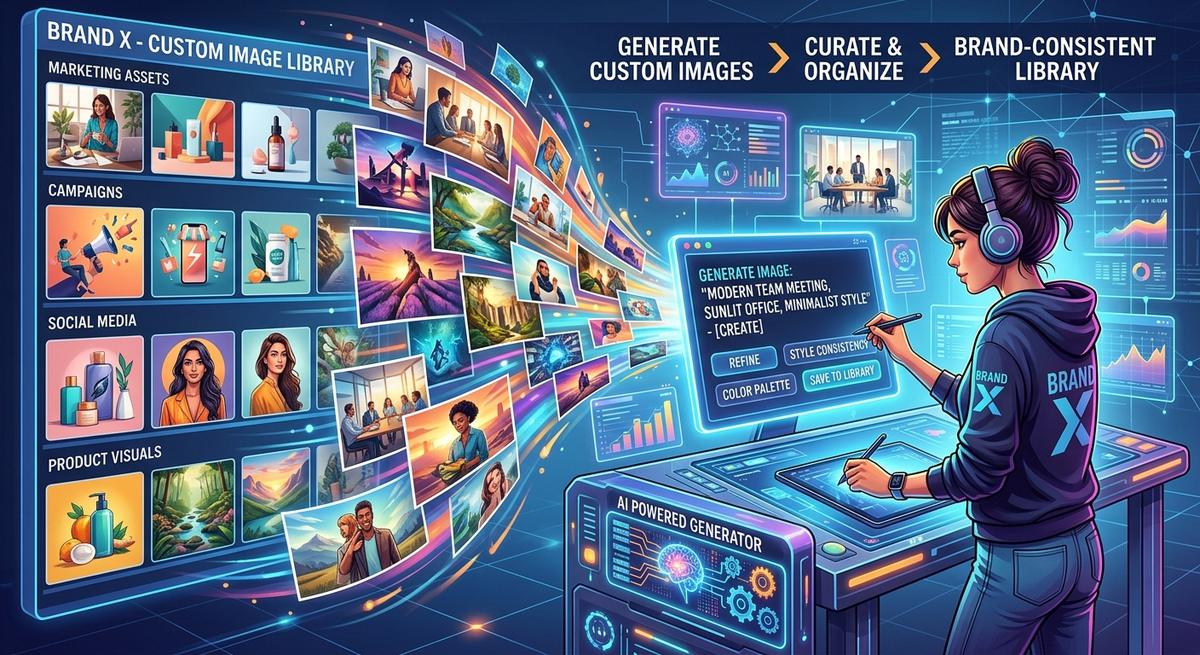
AI image generation changes this entirely. You can now build a full set of reusable, on-brand visuals made specifically for your business. You describe what you need. The tools build it. You keep it, organize it, and draw from it again and again across every channel you run.
What This Guide Covers
- Prioritizing the right image types early means your library pays off faster across every channel you use.
- Visual consistency in AI-generated images depends on repeatable prompt patterns, not luck.
- Combining generation, background removal, and upscaling inside one workflow keeps your assets polished and publish-ready.
Why Generic Stock Photos Fall Short for Brands
Traditional stock photography was designed to serve the widest possible audience. That is precisely the problem. Images built to appeal to everyone end up feeling like they belong to no one. They carry no personality. They communicate nothing specific about who you are or what makes your brand worth paying attention to.
For ecommerce sellers, this creates a real conversion problem. Product visuals drive purchase decisions more than almost any other element on a product page. If your images look identical to your competitors' images, there is nothing pulling a customer toward your store specifically. You are competing entirely on price and luck.
AI tools give you a genuine alternative. You describe your brief in detail, and the tools build something from it. That brief can include your brand colors, your preferred aesthetic, the type of product you sell, and the mood you want customers to feel. The result is the ability to create stock image collections built entirely around your specifications rather than someone else's idea of what looks good.
Which Image Types to Build First
Starting a brand image library from scratch can feel like a big task. The key is being strategic about where you begin. Not all image types carry equal weight across marketing and ecommerce contexts. Start with the visuals that appear in the most places across your channels, then expand from there.
Product-Focused Visuals
If you sell anything physical, product images are your foundational asset. These include clean shots on neutral backgrounds, styled flat lays, and close-up detail images that show texture and quality. With AI generation, you can mock up realistic product visuals before physical inventory is even in your hands. This is genuinely useful for pre-launch campaigns, landing page testing, and building out ad creative early.
Lifestyle and Context Images
Lifestyle images show your products in real environments and real situations. They help potential customers picture themselves actually using what you sell. These visuals carry email campaigns, landing pages, and social posts. You can prompt for specific settings, lighting conditions, and demographics without booking a photographer, hiring models, or renting a location.
Backgrounds and Branded Textures
Brand textures and abstract backgrounds are among the most frequently used assets in any visual library, and the most often overlooked at the start. Every presentation, social graphic, and promotional banner needs a background. Building a set of on-brand textures upfront saves you hours of searching every single time you need to put something together.
The Secret to Visual Consistency Across Your Library
This is where most people run into trouble. They generate one strong image, try to produce another in the same style, and end up with something that looks completely different. Visual consistency in AI-generated content does not happen by accident. You need a system behind it.
The most reliable method is building a core prompt template. This is a base set of descriptors you carry into every generation session without exception. A solid template includes your brand's color palette described in plain language, a lighting preference, a general mood or tone, a compositional direction, and a preferred surface or material style. Once you have a template that consistently produces results you are satisfied with, you save it somewhere accessible and protect it. It becomes the fixed starting point for every new asset you generate.
Color is the dominant consistency factor. Brand recognition builds heavily on color repetition. If your generated images pull in tones that do not match your palette, the library will feel fragmented no matter how strong any individual image looks on its own. Specific color language in prompts makes a meaningful difference. "Warm ivory with muted terracotta accents" produces far more controlled results than "neutral warm colors."
Lighting style matters just as much. An image lit with hard dramatic contrast looks out of place sitting beside a softly diffused lifestyle photo. Settle on a lighting direction early. Keep it consistent across every generation session. This single decision does more for library coherence than almost anything else.
How to Organize Your Library for Repeated Use
Generating strong images is only half the task. If your file system is disorganized, the library becomes frustrating to use and people stop using it. Organization is what converts a folder of generated files into a real working asset that your team or workflow can depend on.
- Separate by content type: Keep product shots, lifestyle images, backgrounds, and social media assets in distinct folders. This makes retrieval fast when you have a specific job to fill and a deadline approaching.
- Add version tags to filenames: Libraries change over time. Knowing which assets came from your current prompt template versus an older one helps you identify batches to retire as your brand visual direction matures.
- Maintain a publish-ready subfolder: Not every image needs further editing. Clearly separating finished assets from works in progress means you are never second-guessing what is actually ready to go live.
- Store prompt templates alongside the outputs they produced: When you need more images in the same style six months from now, having the original template at hand means you can reproduce that look without starting from scratch or trying to reconstruct it from memory.
Keep the folder structure flat at the start. A simple, clean system you will actually maintain works far better than an elaborate hierarchy that collapses within a month because it is too complex to follow consistently.
Editing AI Outputs to a Finished Standard
Raw AI-generated images are often very strong. They are rarely fully production-ready straight out of generation without at least some adjustment. Two editing operations come up repeatedly in professional visual workflows: background removal and upscaling.
Background removal is something ecommerce teams use on nearly every product image they publish. A clean, transparent background lets you place the same product visual onto any surface, any promotional context, or any seasonal campaign theme. The asset becomes flexible rather than locked into one look for its entire working life.
Upscaling addresses resolution. AI outputs are frequently generated at sizes that work fine for social media but fall short for large banners, print materials, or high-resolution display environments. A quality upscaling tool adds detail and sharpness without introducing visible artifacts or blurring fine edges. The gap between a 512px source image and a well-upscaled 2048px version is significant anywhere beyond a standard phone screen.
Running both of these steps inside the same platform where you generate images matters more than it sounds. Fewer tools means fewer file transfers, fewer format conversions, and far less organizational chaos. Generation, background removal, and upscaling feeding into each other inside one unified workflow removes a significant amount of friction from the library-building process.
Turning Your Library Into a Content Engine
A well-built visual library changes how content creation works for your brand in a fundamental way. The goal is to reach a point where you can fill a full week of social posts, refresh your store's hero visuals, and build a new email template without generating a single new image. You just open the library and pull what you need.
Getting there requires building ahead. Set a recurring session, roughly once a month, dedicated entirely to generation and organization. Use your saved prompt templates. Work through the content themes and campaigns coming up on your calendar over the next several weeks. Edit everything, file it properly, and close the session. The assets sit ready before anyone needs them.
This shift from reactive to planned content creation is one of the biggest practical advantages of having a library in place. You stop scrambling for a visual the night before a campaign is supposed to launch. The image is already there, already polished, already filed exactly where you know to find it.
When Your Image Library Becomes Your Biggest Brand Asset
A strong visual library is more than a convenience. It is a reflection of how seriously you take your brand identity. Every image your audience sees shapes how they perceive you. Consistency builds familiarity. Familiarity builds trust. Trust builds the kind of loyalty that keeps customers returning long after the first purchase.
The tools to build this kind of library are accessible in a way they simply were not a few years ago. You do not need a photography studio, a design team, or a large budget. You need a clear sense of your brand's visual direction, a reliable AI generation workflow, and the discipline to organize what you produce as you go.
Start with a batch of around twenty images built from one solid prompt template. Edit them. Organize them. Put them to use. Then build on that foundation. The library grows faster than you expect once the system is in place, and every image you add increases the practical value of everything already in it.
This is a guest contribution to the img.now Blog. For our own step-by-step guides, see Learn.