
Convert Excel XLSX to PDF Online
Need to turn a Excel XLSX file into PDF? XLSX is the modern Microsoft Excel workbook format introduced with Office 2007 as part of Office Open XML, succeeding the binary XLS. Internally it is a ZIP package of XML sheets holding cells, formulas, charts, and formatting across one or more worksheets. Unlike a document, a spreadsheet has no fixed page; its grid can extend across many columns and rows, and only a print area or the first sheet maps cleanly to a single image. Formulas are stored alongside their last-calculated values. PDF is the universal document format - It preserves layout, fonts and images exactly across every device. Turning a PDF page into an image gives you a thumbnail or a shareable picture you can drop into a slide, chat or webpage. Converting from Excel XLSX to PDF bridges the two: you keep the picture, but in a format that fits where you are taking it.
Drop a Excel XLSX file or browse
Up to 16 MB

Create a free account to convert and save your files.
Why convert Excel XLSX to PDF?
Converting an XLSX first sheet to an image gives a quick, view-only snapshot of a table or chart that anyone can see without Excel or risk of accidentally editing the formulas.
| Excel XLSX | ||
|---|---|---|
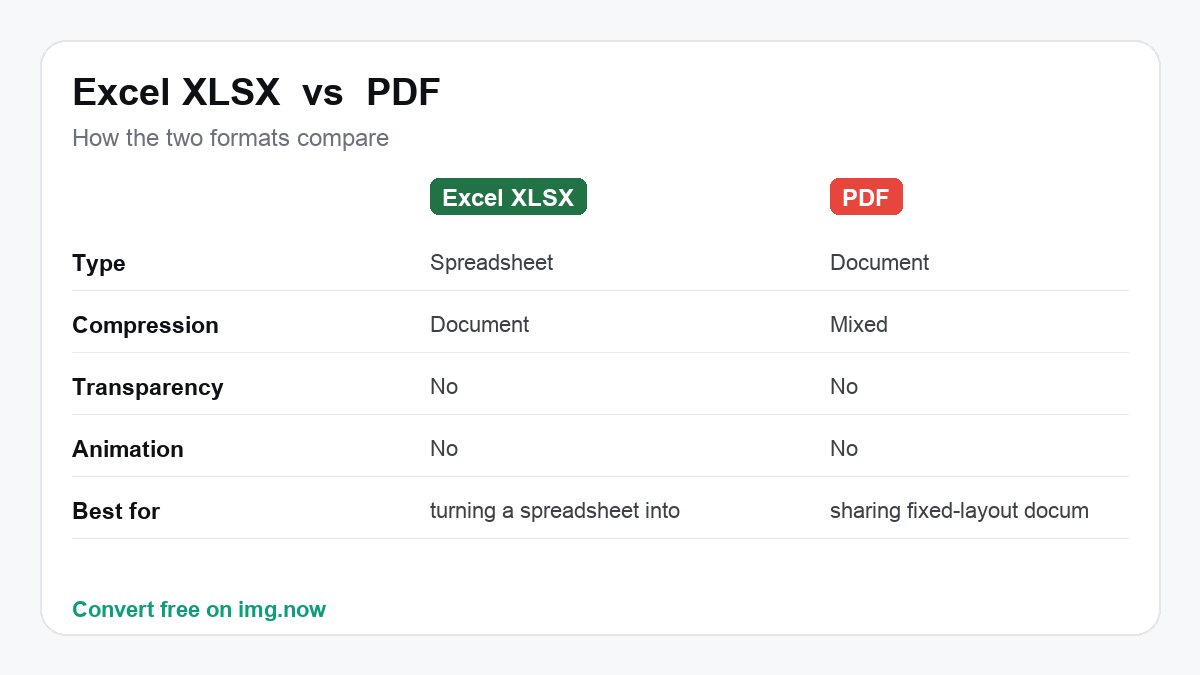
| Type | a spreadsheet | Document |
| Compression | Document | Mixed |
| Transparency | No | No |
| Animation | No | No |
What to expect converting Excel XLSX to PDF
File size is broadly comparable; the main gain is PDF's compatibility and fit for the job.
img.now keeps the full resolution when writing the PDF.
Use PDF when you need sharing fixed-layout documents (rasterise a page to use it as an image).
Keep Excel XLSX when you still need turning a table or chart into a shareable image.
About Excel XLSX and PDF
Excel XLSX
XLSX is the modern Microsoft Excel workbook format introduced with Office 2007 as part of Office Open XML, succeeding the binary XLS. Internally it is a ZIP package of XML sheets holding cells, formulas, charts, and formatting across one or more worksheets. Unlike a document, a spreadsheet has no fixed page; its grid can extend across many columns and rows, and only a print area or the first sheet maps cleanly to a single image. Formulas are stored alongside their last-calculated values.
- Captures the table or chart as seen
- Perfect for a quick data snapshot
- Native to Microsoft Excel
PDF is the universal document format - It preserves layout, fonts and images exactly across every device. Turning a PDF page into an image gives you a thumbnail or a shareable picture you can drop into a slide, chat or webpage.
- Looks identical everywhere
- One file, many pages
- Universal viewer support
Convert Excel XLSX to PDF in three steps
Upload your Excel XLSX
Drop in a Excel XLSX file from your device, up to 16 MB. Excel XLSX files are read automatically.
We convert it to PDF
img.now re-encodes your image as PDF at full resolution on our servers - No quality lost to resizing.
Download the PDF
Grab the result instantly. It is also saved to your files so you can come back to it.
Do more with your PDF
Once it is converted, keep editing in the same workspace.
Need a different conversion? Browse all file converters.
Convert Excel XLSX to other formats
Excel XLSX to PDF - Questions
What is a Excel XLSX file?
Why convert Excel XLSX to PDF instead of keeping Excel XLSX?
Will I lose quality converting Excel XLSX to PDF?
Which part of my workbook becomes the image?
Will my formulas be visible in the image?
Is converting Excel XLSX to PDF free?
Will the quality drop when I convert Excel XLSX to PDF?
Do you keep my files?
Do more than convert
img.now also generates images from text, upscales, removes backgrounds and edits - All in one workspace, saved to your account.
Create a free account