
How AI Image Generators Work
A plain explanation of models, training data, prompts, and the step that turns random noise into a finished image.
On this page
AI image generators sound complex, but the core idea is simple. They learn from many pictures, then use what they learned to build a new image that matches your words.
Quick answer
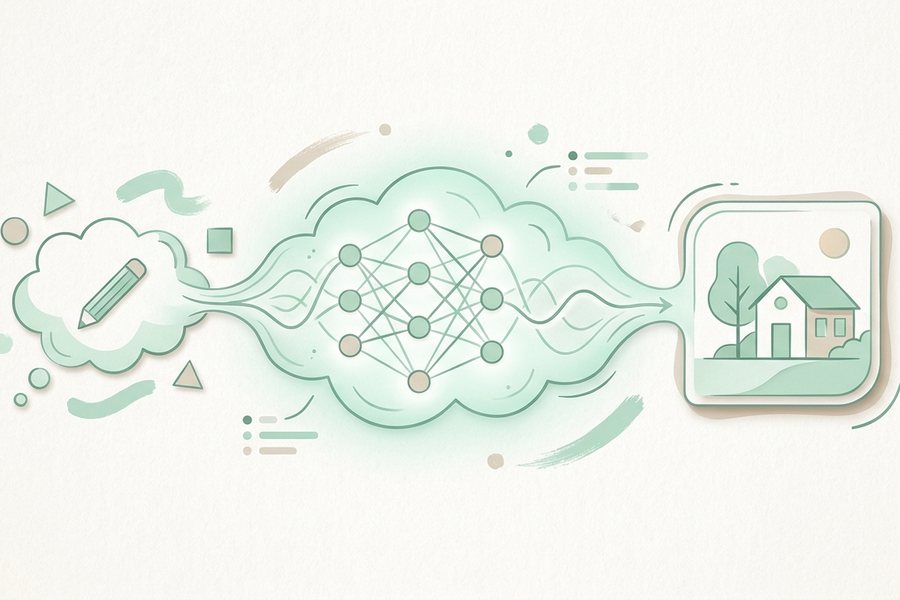
An AI image generator is a trained model that turns text into pictures. During training it studies millions of images paired with descriptions, so it learns how words relate to shapes, colors, and lighting. When you give it a prompt, it starts with random noise and cleans that noise up step by step until a clear image that fits your words appears.
What a model is
A model is the trained brain of the generator. It is not a giant folder of saved pictures. Instead, it is a large set of numbers that capture patterns, like what a "sunset" usually looks like or how "fur" tends to appear.
Think of it like a chef who has cooked thousands of meals. The chef does not keep every meal in memory, but they know how flavors work and can make a new dish on request. The model works the same way with images. If you want the bigger picture of the field, see our overview of what AI image generation is.

Where training data comes from
Models learn from large collections of images, each paired with a short text description. By seeing a picture of a dog next to the word "dog" many times, the model learns the link between them.
This is why the model can handle so many requests. It has seen countless examples of objects, places, styles, and lighting. The quality and variety of this data shape what the model can and cannot do well.
| Part | What it does |
|---|---|
| Training data | Image and text pairs the model learns from |
| Model weights | The numbers that store learned patterns |
| Prompt | Your text description of the image you want |
| Sampling steps | The passes that turn noise into a clear image |
| Output | The final picture you can save or refine |
How a prompt guides the result
Your prompt is the steering wheel. The model reads your words and turns them into a kind of internal target, then it tries to match that target as it builds the image.
Word order and detail both matter. Naming the main subject early and adding setting and mood after gives the model a clear path to follow. Our notes on prompt structure show simple patterns that work, and you can test them right inside the text to image tool.

From noise to a finished image
This is the part that feels like magic but is really just careful cleanup. The model starts with a square of random static, the kind you might see on an old television.
Then it asks a simple question over and over: what would this look like with a little less noise, given the prompt? Each pass removes some randomness and adds real detail. After many small steps, the static turns into a clear picture. This method is called diffusion, and it is why early steps look blurry while later steps look sharp.
The same engine can also start from a picture instead of pure noise. That approach powers image to image editing, where an existing photo plus a prompt guides the result.
Why results can vary
Two runs of the same prompt can look different. The starting noise is random, so each image takes a slightly different path. This is a feature, not a bug, because it gives you several options to choose from.
If you want results closer to each other, keep your prompt specific and reuse settings that worked before. If you want more variety, loosen the wording and let the model explore.
Checklist
- Remember the model learned patterns, not saved photos
- Pair a clear subject with a setting and mood in your prompt
- Put the most important detail early in the prompt
- Expect early steps to look rough and later steps to sharpen
- Run a prompt a few times to see different paths
- Reuse settings when you want steady, similar results
- Loosen wording when you want more variety
Example
Here is a prompt and a short note on what the model does with each part.
A wooden sailboat on calm water at dusk, soft orange sky, gentle reflection, photo style
The model locks onto "sailboat" as the subject, sets the scene with "calm water" and "dusk," tunes the light with "soft orange sky," and applies a "photo style" finish. It then cleans up noise step by step until those ideas appear together.
FAQ
Does the generator copy existing images?
No, it builds each image from noise rather than pasting from a library. It uses learned patterns, so the output is new even though the patterns came from real examples.
What is diffusion in simple terms?
Diffusion is the step by step removal of random noise until a clear picture forms. The model predicts a little more detail with each pass, guided by your prompt.
Why do I get a different image each time?
The process starts from random noise, so each run follows a slightly different path. Keeping your prompt and settings the same makes results more alike but rarely identical.
Do longer prompts always work better?
Not always. A focused prompt with a clear subject often beats a long, crowded one. Add detail only when it helps the model understand your goal.
This guide is general information to help you create better images. For rights and commercial questions, read the copyright and image rights notes.