
PNG vs JPG vs WebP
A plain comparison of PNG, JPG, and WebP covering transparency, quality, and file size, with clear advice on when to use each format.
On this page
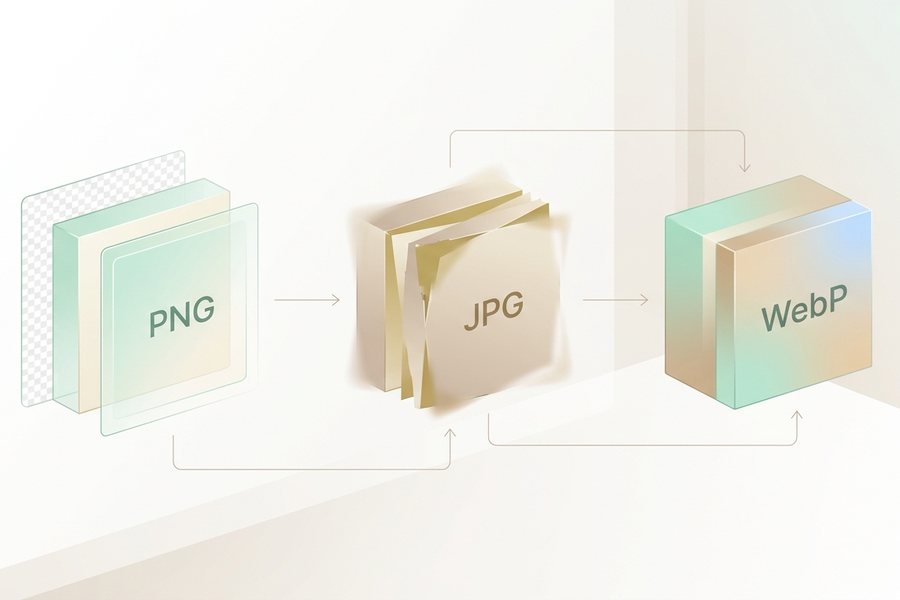
PNG, JPG, and WebP are the three formats you will meet most often when saving images. Each one trades quality, size, and features differently, so the right pick depends on the job.
Quick answer
Use PNG when you need transparency or sharp text and graphics. Use JPG for photos where small file size matters and you do not need a see-through background. Use WebP when you want the best balance, since it offers smaller files than both while supporting transparency and good photo quality.
Typical file size by format, same image
WebP is usually smallest at similar quality. PNG is largest but keeps transparency.
What sets them apart
The key difference is how each format stores data. JPG uses lossy compression, which throws away some detail to shrink the file. PNG is lossless, so it keeps every pixel exactly, which makes it larger but perfect for crisp edges. WebP can do both lossy and lossless, which is why it often wins on flexibility.
Transparency is the other big divider. PNG and WebP can have see-through areas, which is essential for logos, icons, and cutouts. JPG cannot, so any transparent area becomes a solid color, usually white. That single fact decides many format choices on its own.

Side by side comparison
This table sums up the trade-offs at a glance. Most of your choice comes down to transparency and whether the image is a photo or a graphic.
| Feature | PNG | JPG | WebP |
|---|---|---|---|
| Compression | Lossless | Lossy | Both |
| Transparency | Yes | No | Yes |
| Best for | Graphics, text | Photos | Most web images |
| File size | Large | Small | Smallest |
| Wide support | Excellent | Excellent | Very good |
PNG keeps detail at the cost of size. JPG keeps size small at the cost of some detail. WebP tries to give you the best of both, and modern browsers handle it well.
When to use each
Reach for PNG when edges must stay sharp, such as logos, screenshots, icons, and any image with a transparent background. The cutouts in our background removal guide are a perfect case for PNG, since they rely on transparency to drop onto any backdrop.
Reach for JPG for ordinary photos headed to email or older systems, where small size matters and there is no transparency. Reach for WebP for most website images, since it loads faster while looking just as good. If you plan to enlarge an image afterward, our notes on how image upscaling works pair well with choosing a lossless format to start.
Quality and file size
File size affects how fast a page loads, so it is worth managing. JPG and lossy WebP let you choose a quality level, where lower quality means smaller files but more visible flaws like blocky patches. A setting around 80 percent usually balances size and looks well.
PNG has no quality slider in the same way, since it is lossless, so its size depends on the image content. Flat graphics with few colors stay small, while detailed photos can grow large. The shape you save also matters for layout, and our look at the best AI image aspect ratios helps you size an image before you ever export it.
Checklist
- Need transparency? Choose PNG or WebP
- Plain photo for the web? WebP is usually best
- Sharing with an old system? JPG is the safe bet
- Sharp text or logos? Use PNG to keep edges crisp
- Watch file size for anything on a web page
- Set lossy quality near 80 percent as a starting point
- Keep a lossless master if you will edit again
Example
Here is a quick decision recipe for picking a format based on what the image is and where it goes.
Logo with transparent background -> PNG
Product photo for an online store -> WebP, quality 82
Photo emailed to a client on old software -> JPG, quality 85
Screenshot of text or a chart -> PNG
Hero image for a fast-loading blog -> WebP, quality 80
Before: a 4 MB PNG photo that slowed a page down. After: a 400 KB WebP that looks the same to the eye and loads in a blink. The image converter tool switches between all three formats so you can match each image to its job.
Ready to convert?
Jump straight to the converter you need: PNG to WebP, PNG to JPG, JPG to WebP or WebP to PNG. Each runs free in your browser at full resolution.
FAQ
Which format has the smallest file size?
WebP is usually the smallest for the same quality, often well below JPG and far below PNG. That is why it is a strong default for web images.
Is PNG always higher quality than JPG?
PNG is lossless, so it keeps every pixel, but that does not always look better to the eye. For photos, a high-quality JPG or WebP can look identical while taking far less space.
Can WebP replace both PNG and JPG?
In most modern settings, yes. It handles transparency like PNG and compresses photos like JPG. Keep a JPG or PNG copy only when you need to support very old software.
Does converting between formats lose quality?
Converting to a lossy format like JPG or lossy WebP drops some detail each time. Save from a lossless master when you can, and avoid repeated round trips through lossy formats.
This guide is general information to help you create better images. For rights and commercial questions, read the copyright and image rights notes.